

Two to four players take turns building words that cross the ones already on the board. Play with friends, computer opponents, or a little of both.
Your eight letters stay on your phone, where only you can see them.
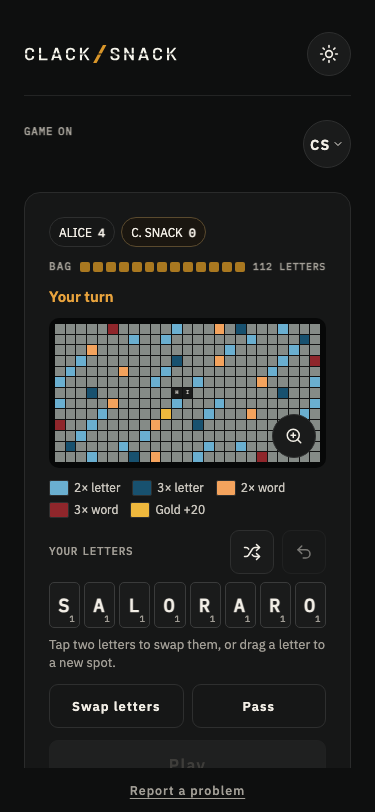
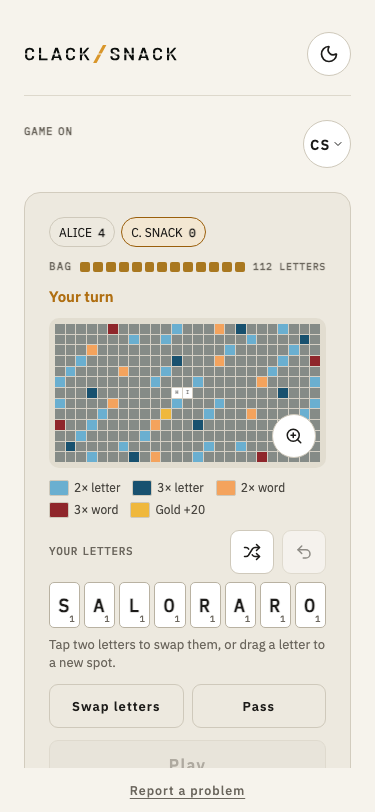
On your turn, place letters in a straight line to make a word that connects to what’s already on the board. The first word must cross the yellow square in the middle.
Placing your letters
Tap a square, then a letter, or choose a letter first and tap where you’d like it to go. You can also drag a letter directly onto a square.
Tap a letter you’ve placed to return it to your rack, or slide it to another square.
Pinch to zoom, or tap the magnifier for a closer look.
Making the most of your turn
Every letter has a point value, with rarer letters worth more.
Colored squares can give your score a little help:
- Light blue doubles a letter’s value.
- Blue triples a letter’s value.
- Light red doubles the whole word.
- Red triples the whole word.
A bonus only counts on the turn when its square is first covered.
As you place letters, your phone shows how many points the move would earn. It doesn’t tell you whether the word is valid. That happens when you tap Play.
Use all eight letters in a single turn and earn 50 bonus points.
Not happy with your letters? Choose Swap to exchange some for new ones from the bag, or Pass to sit out the turn. Neither earns points.
The host chooses how invalid words are handled under Wrong words in the lobby:
- Try again lets you correct a word that isn’t in the dictionary.
- Lose your turn treats an invalid word as a pass.
Wander and Sticky
A little something extra to chase around the board.
Under Mode in the lobby, the host can choose Classic, Wander, or Sticky. Classic plays without a gold square.
In Wander and Sticky, a gold square appears after the first word. Play a letter on it to earn 20 bonus points for your move. Your phone includes those points in the score as you place your letters.
Wander likes to keep moving. At the start of each turn, the gold square finds a new place on the board.
Sticky stays put until someone plays through it. Then it’s ready for another spot.
If there’s nowhere open for the gold square, it sits that turn out.
Reading the board
The Display shows words only after they’re played. Nothing changes on the big board while someone is still deciding where to put their letters.
Scores appear along the top, with a yellow marker beside the player whose turn it is.
The bottom line tells everyone what just happened, with a message like ADAM PLAYS QUARTZ 34.
Computer opponents
Five computer opponents are ready to join you, from the easygoing Pip to the rather formidable Vera.
There’s Pip, June, Mabel, Otis, and Vera, each with their own way of approaching the board.
The host can add them in the lobby using Add a computer opponent, or choose Surprise me to let ClackSnack pick someone who isn’t already playing.
Computer opponents take their turns automatically, and they never play rude words.
Taking your time
There’s no turn timer. Think it over, try a few arrangements, and find something you like.
If someone wanders off, the host can use Skip turn in the hosting sheet to keep things moving.
Someone joining partway through gets a fresh rack of letters and takes the last place in the turn order, provided the bag still has enough letters.
When the game ends
Crosswind ends when the bag is empty and someone plays their last letter, or when everyone has passed or swapped twice in a row.
Any letters left on your rack count against your score. If you’re the one who played all your letters, you collect the value of everyone else’s leftovers.
The completed board stays on the Display for a moment before the final scores appear, along with the best word of the game.
A different look
Gray board puts a gray background behind the letters, and it starts on. The host can turn it off for a plain board.